





I'm Jenna, a {{ wordText }} based in Australia

✦

AI can make a beautiful screen in 30 seconds. Figuring out whether it's the right screen takes the right designer. 👋

✳
Jenna Silverman
✦ Open
to work
✦

A bit about me

I believe great product design comes from deeply understanding the problem space, the user, the business goals, the technical constraints, and how everything connects. I'm Jenna Silverman, a Product Designer with startup and agency experience who works closely with product teams and clients to translate complex requirements into clear, intuitive digital experiences. I bring a thoughtful, big-picture approach, strong communication, and a genuine passion for turning ambiguity into well-designed, usable products. AI has changed how I work, helping me ideate and iterate faster. It hasn't replaced the part that matters most: knowing which ideas are worth building, and communicating them clearly enough to ship.

Jenna Silverman
✳

Let's make something

Good design starts with understanding of people, of problems, and of business goals. I believe the most effective products come from collaboration, clarity, and purpose, not decoration.

{{ m }}
Jenna Silverman
✦ About me

I'm Jenna.

I believe great product design starts with understanding the full problem, not just individual screens or features, but the system as a whole, the goals behind it, and the people building it.

I'm a Product Designer with startup and agency experience who specializes in turning complex requirements into intuitive, well-structured digital experiences.

📍 Sydney, Australia Open to work
{{ s.num }}

✦ {{ s.title }}

{{ b.text }}

{{ b.text }}

✦

{{ b.text }}

Hiking by an alpine lake with a friend
Holding a duck on a farm visit in Vietnam
Sitting on a mountain overlook in Vietnam
On safari with elephants in Sri Lanka

Want to work together?

Get in touch ↗
✳
{{ detail.company }} · {{ detail.category }}

{{ detail.title }}

{{ detail.tagline }}

{{ detail.stats }}

{{ col.label }}

{{ col.value }}

{{ section.number }} {{ section.label }}

{{ section.heading }}

{{ para }}

{{ para }}

Fractal Vision MVP
Build the foundation for a scalable platform
User Roles
School Setup
Data Collection
Permissions & Configuration
Dashboards
Customization
Drill-down Views
▼ Future Analytics

The Problem

Information is scattered, inconsistent, and difficult to act on.

The Solution

Consistent data reveals patterns, trends, and opportunities.

How Fractal Vision creates impact

  • Instructional Practices
  • Student Engagement
  • Classroom Environment
  • Differentiation
  • Assessment & Feedback

Capture
Observations

Learning walks capture what's happening in real time.

Organize
Data

Observations are tagged, categorized, and stored.

Identify
Trends

Patterns emerge across classrooms, teachers, and schools.

Drive
Improvement

Insights inform coaching, professional learning, and instruction.

{{ section.quote }}

{{ it.title }}

{{ it.description }}

{{ sl.alt }}
{{ section.carousel.caption }}
{{ section.carousel.counter }}
{{ step.n }}{{ step.label }}

{{ section.tagsLabel }}

{{ tag.label }}

{{ section.capsLabel }}

{{ cap }}
  • {{ item }}

Group Migration tool

Admin experience
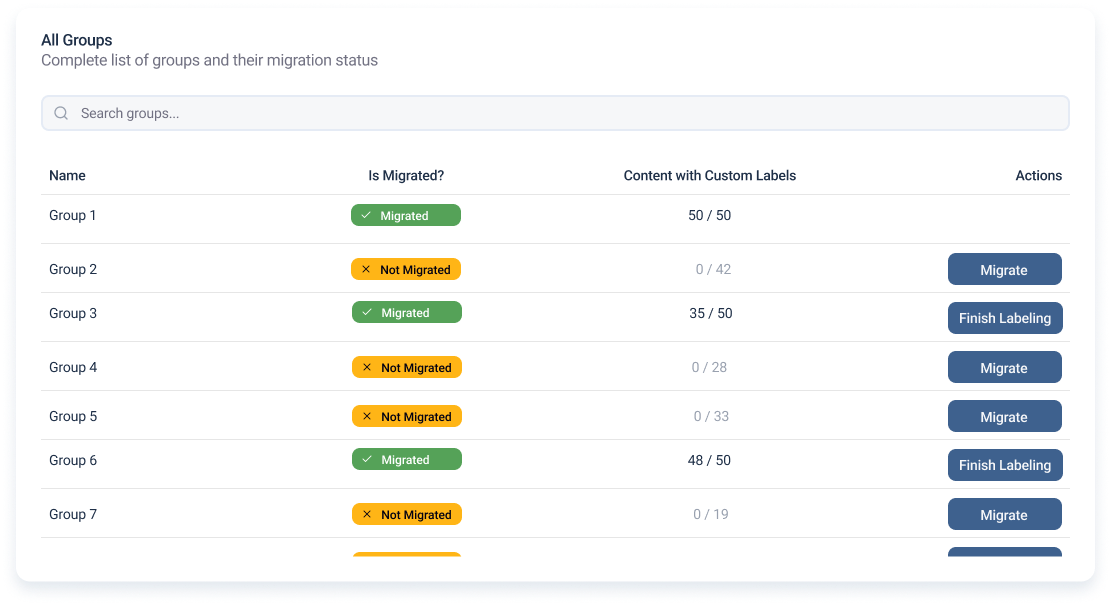
Overview · Track every group
All Groups list with migration status
✦ Migrate a group in four steps
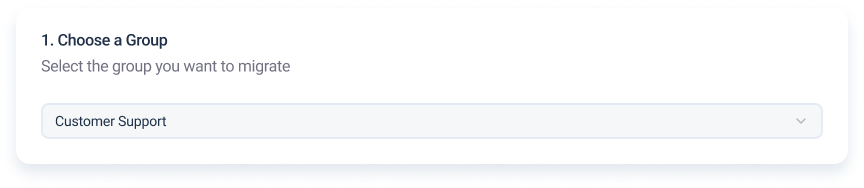
1Choose a group
Choose a group step
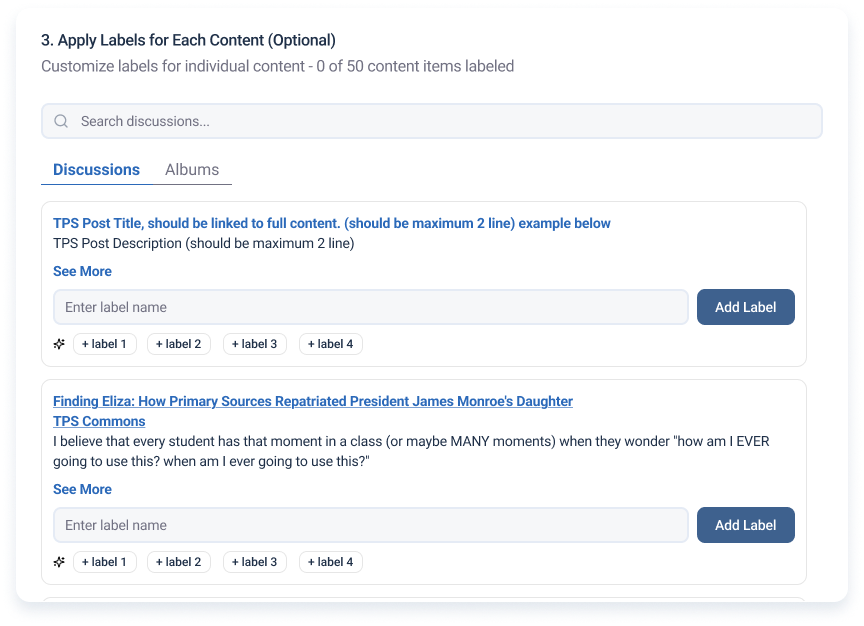
3Label each item
Apply labels to individual content with recommendations
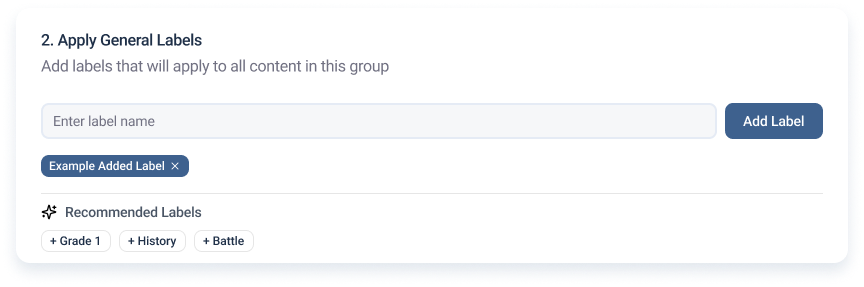
2Apply general labels
Apply general labels with recommended labels
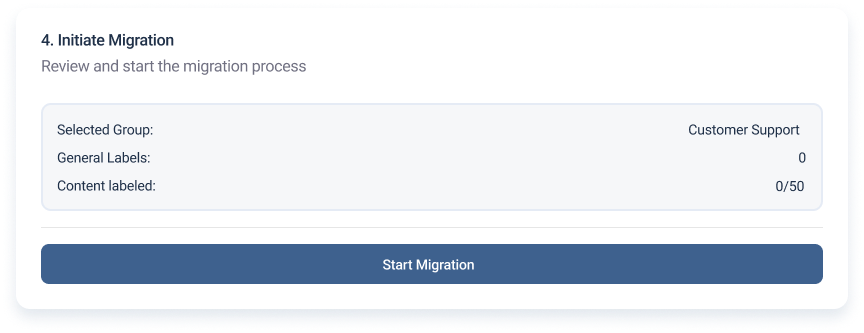
4Review & migrate
Review summary and start migration
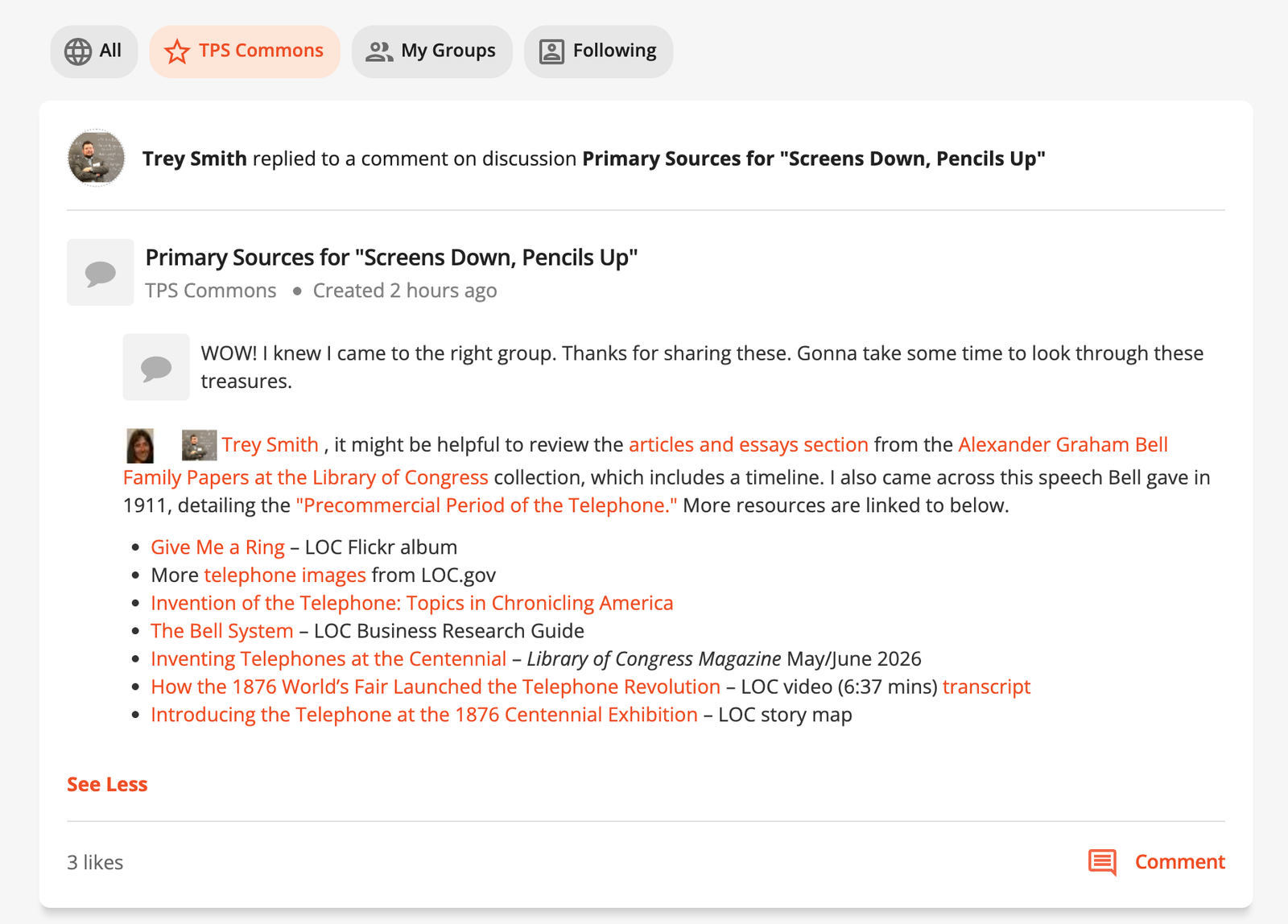
Before Content lived inside groups
Original TPS feed post
After New content finds you

01 · A Following feed

Following, All and Private Groups feed tabs

02 · Follow people & discussions

Post author row with Follow Discussion button

03 · Follow topics & tags

Followable tags: Teaching Tips, Learning Resources, Classroom Activities, Professional Development

Teachers can follow people, discussions, subjects and tags, so new content reaches their feed and it's easier to keep up with what they care about.

Before After
‹›

Drag the handle to compare the original platform with the redesign.

Pain pointFix
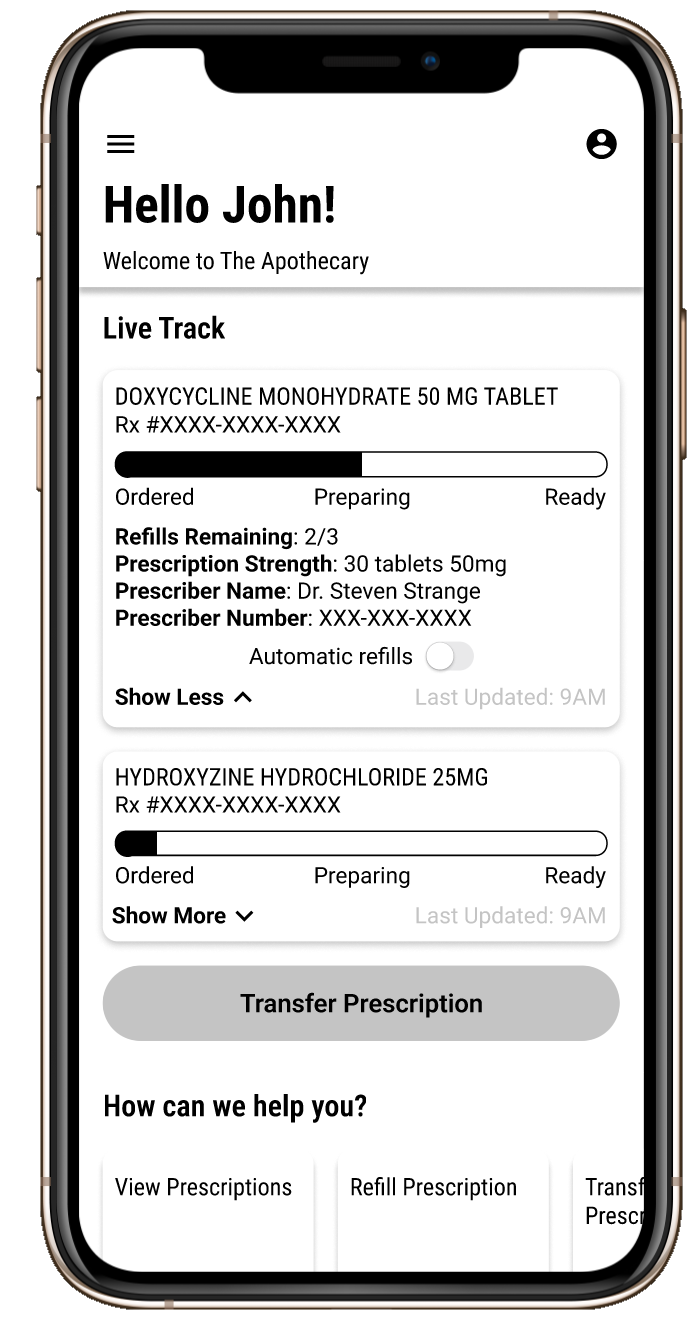
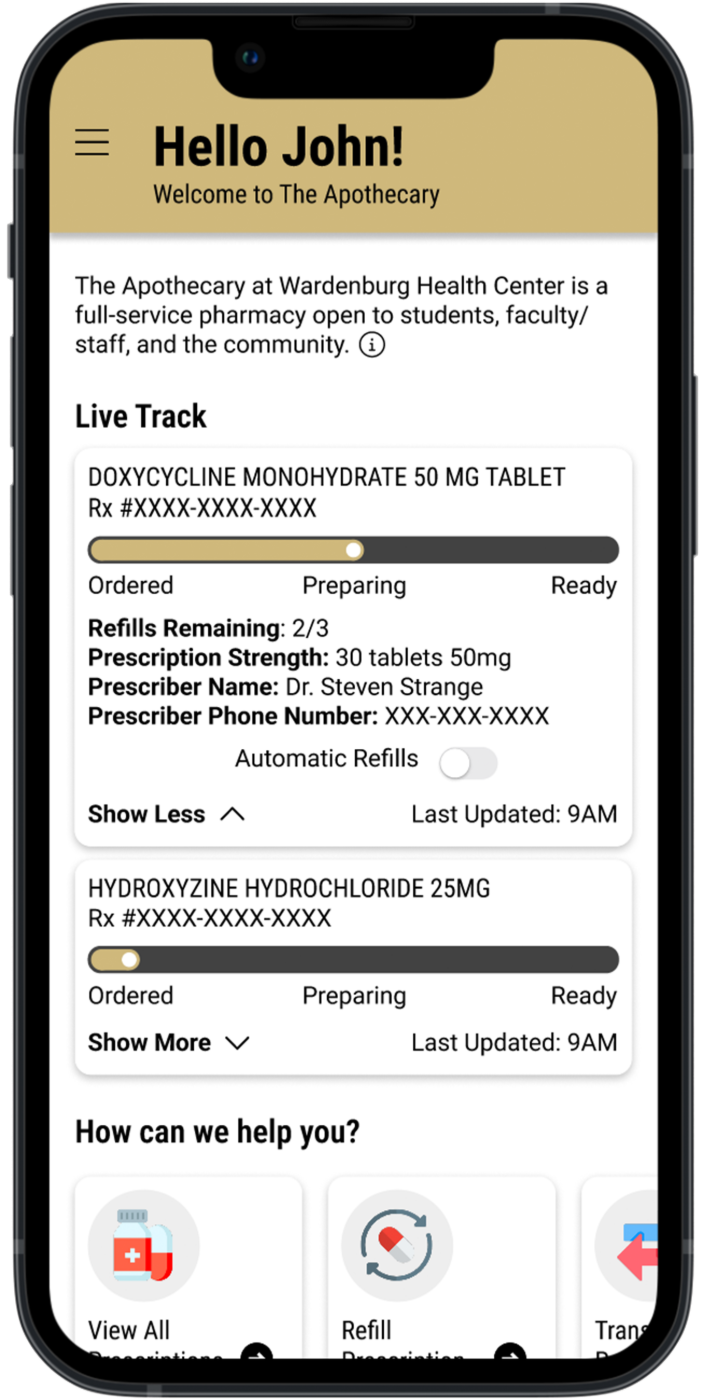
Calling the pharmacy for everythingA mobile app for everyday tasks
Confusing transfersGuided digital transfer requests
No prescription visibilityAll prescriptions in one place
No status updatesLive Track progress for every order
Pickup uncertaintyScheduled pickups with notifications
Poor communicationMessaging with the pharmacy

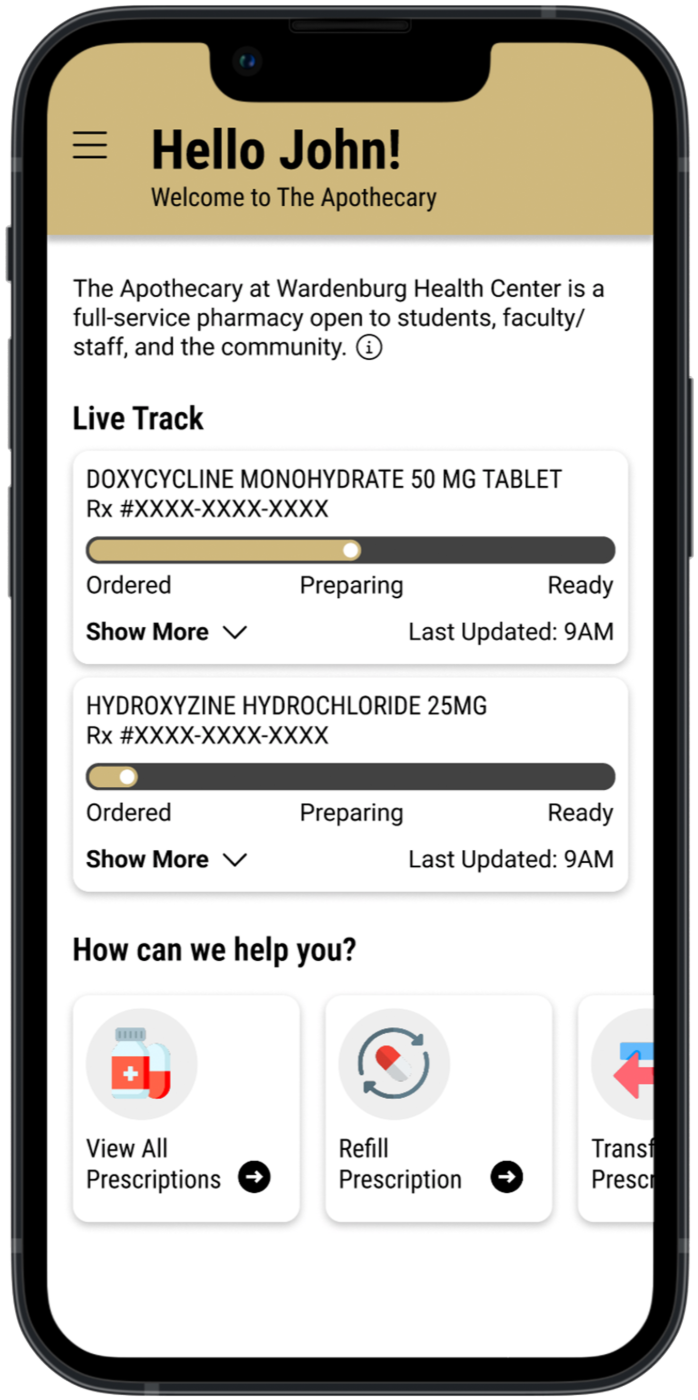
Live Track

Live Track mid-fidelityMid-fidelity
tested
Live Track finalFinal

Usability testing pushed status to the top, so students see where each prescription is at a glance.

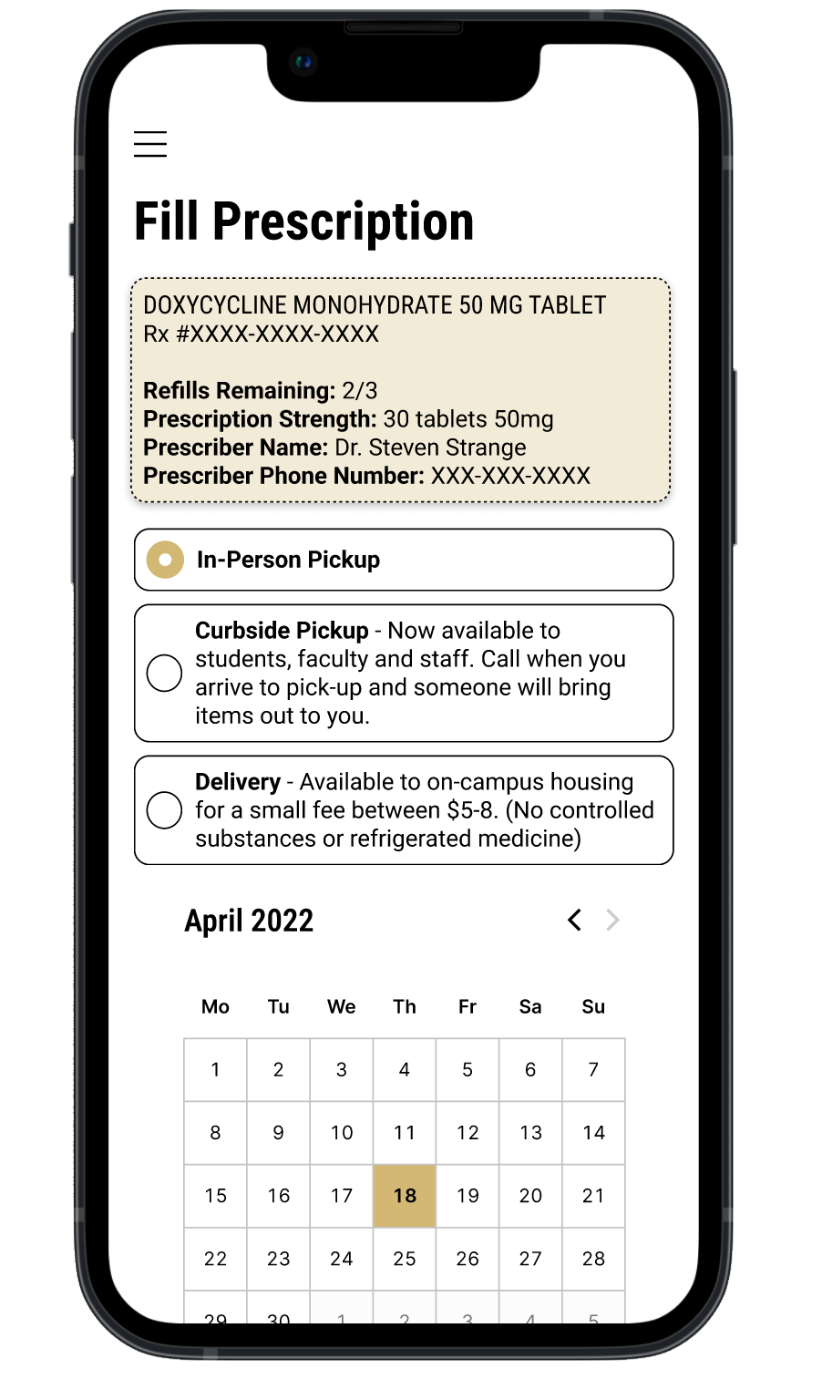
Filling a prescription
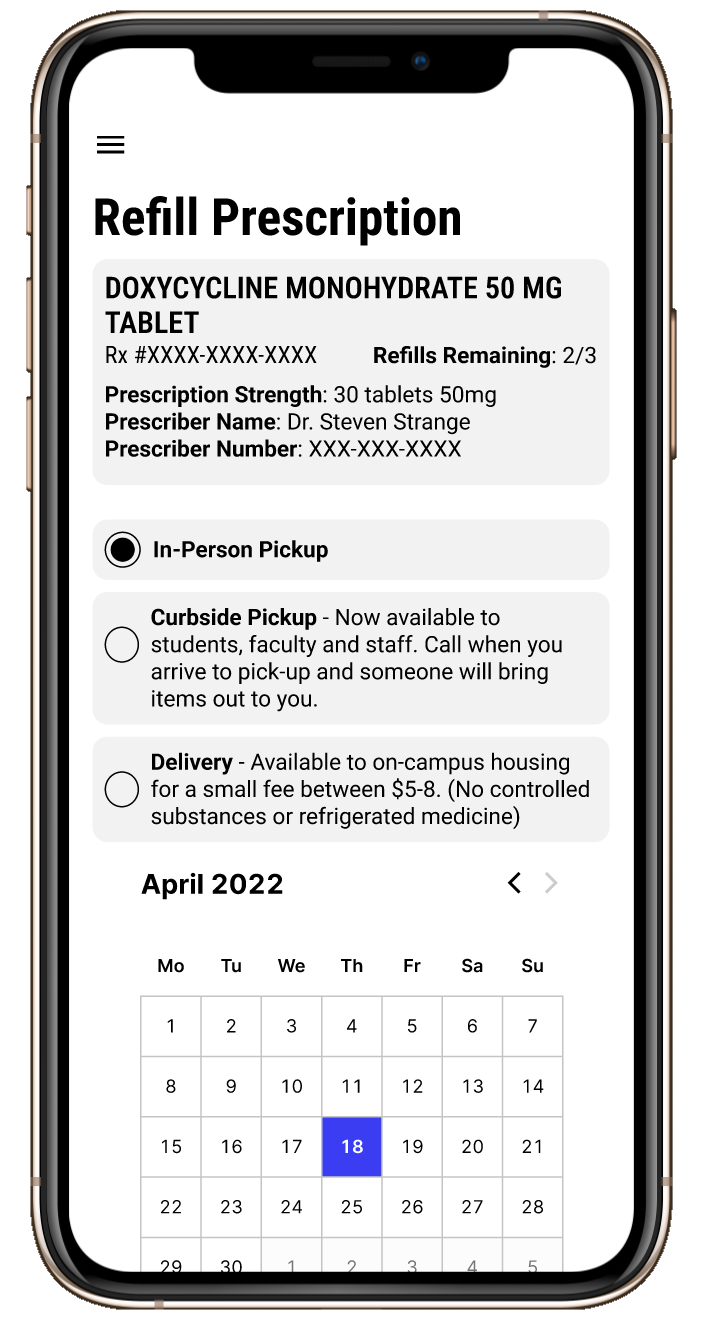
Filling a prescription mid-fidelityMid-fidelity
tested
Filling a prescription finalFinal

Pickup and delivery options became clear, selectable cards next to the prescription summary.
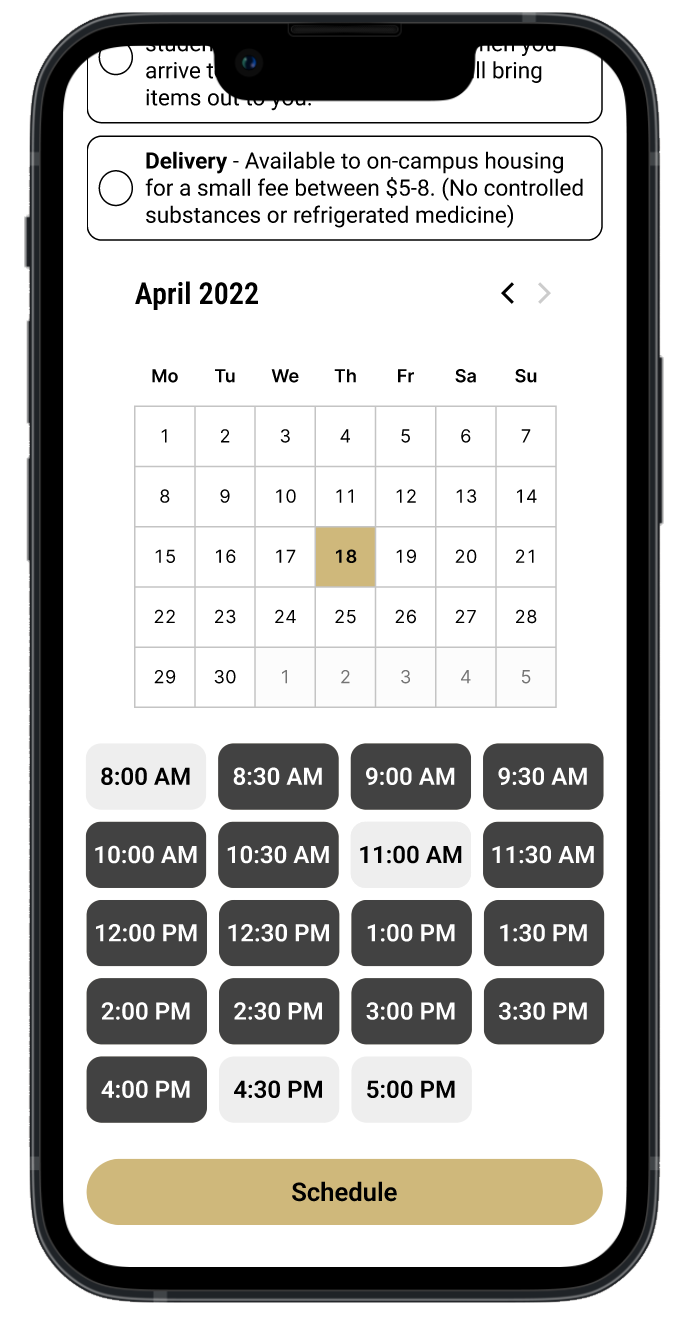
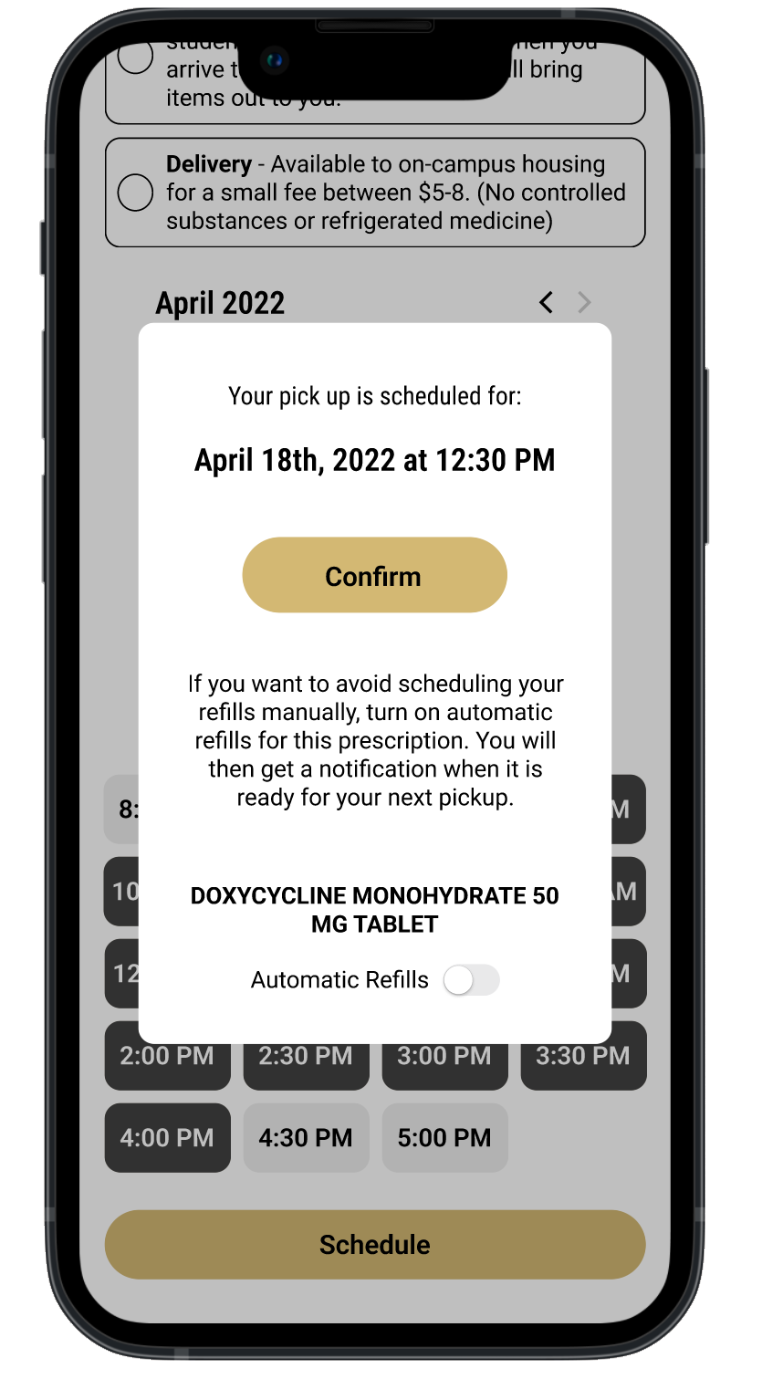
Schedule a pickup time Live prescription tracking Pickup confirmation with automatic refills
schedule pickup track it live automate refills

from classroom to insight

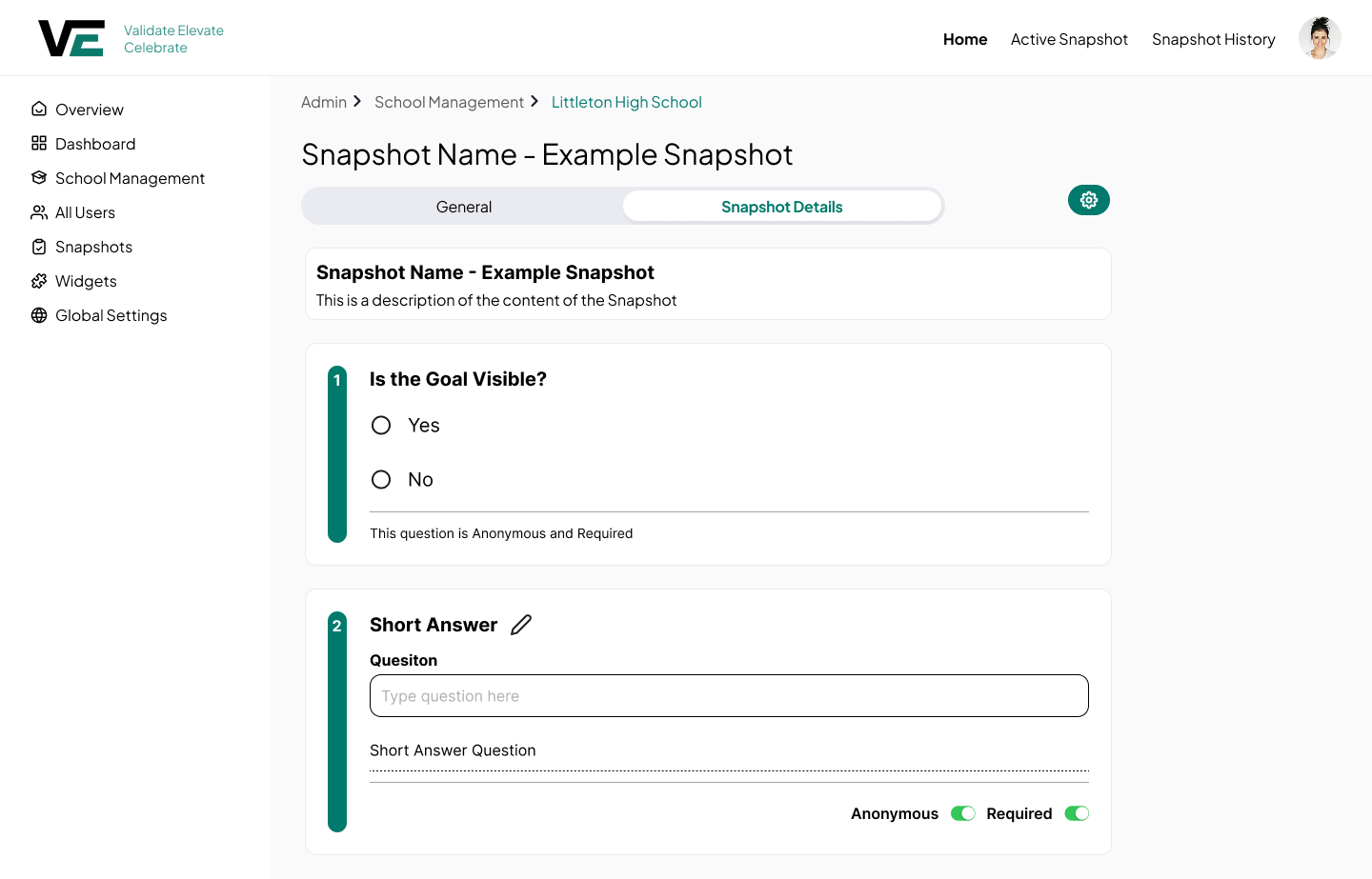
01Build

Districts design learning walks and surveys in the snapshot builder.
02Observe

Leaders answer focused questions during short classroom visits.
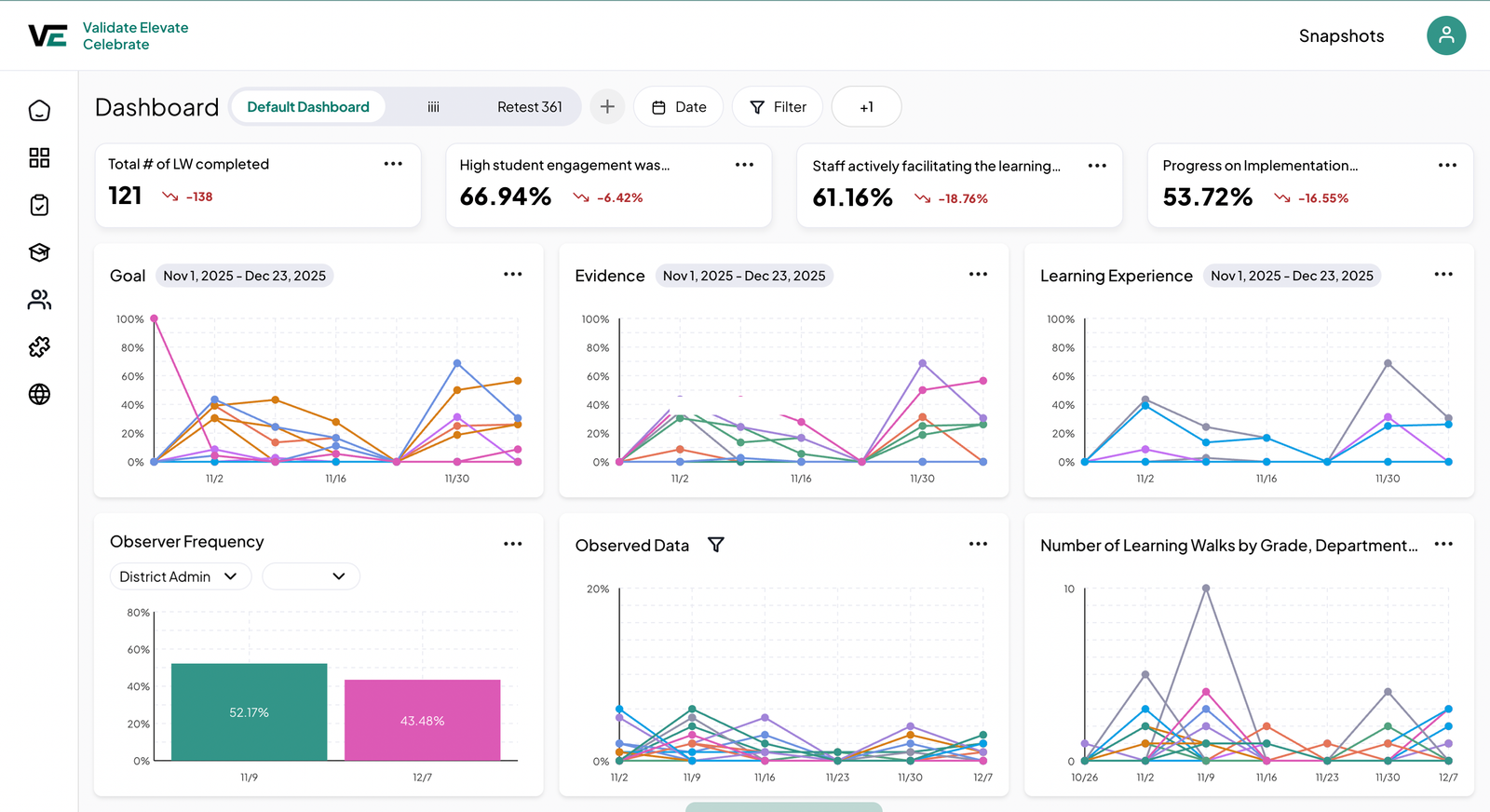
03See trends

Responses roll up into dashboards that show patterns over time.

BeforeSame goal, measured 3 ways
School APaper checklist

Are students engaged? ☐ Yes ☐ No

School BGoogle Form

Rate engagement from 1 to 5

School CSpreadsheet

% of students on task

Fractal VisionOne shared look-for
All schools · Learning walk

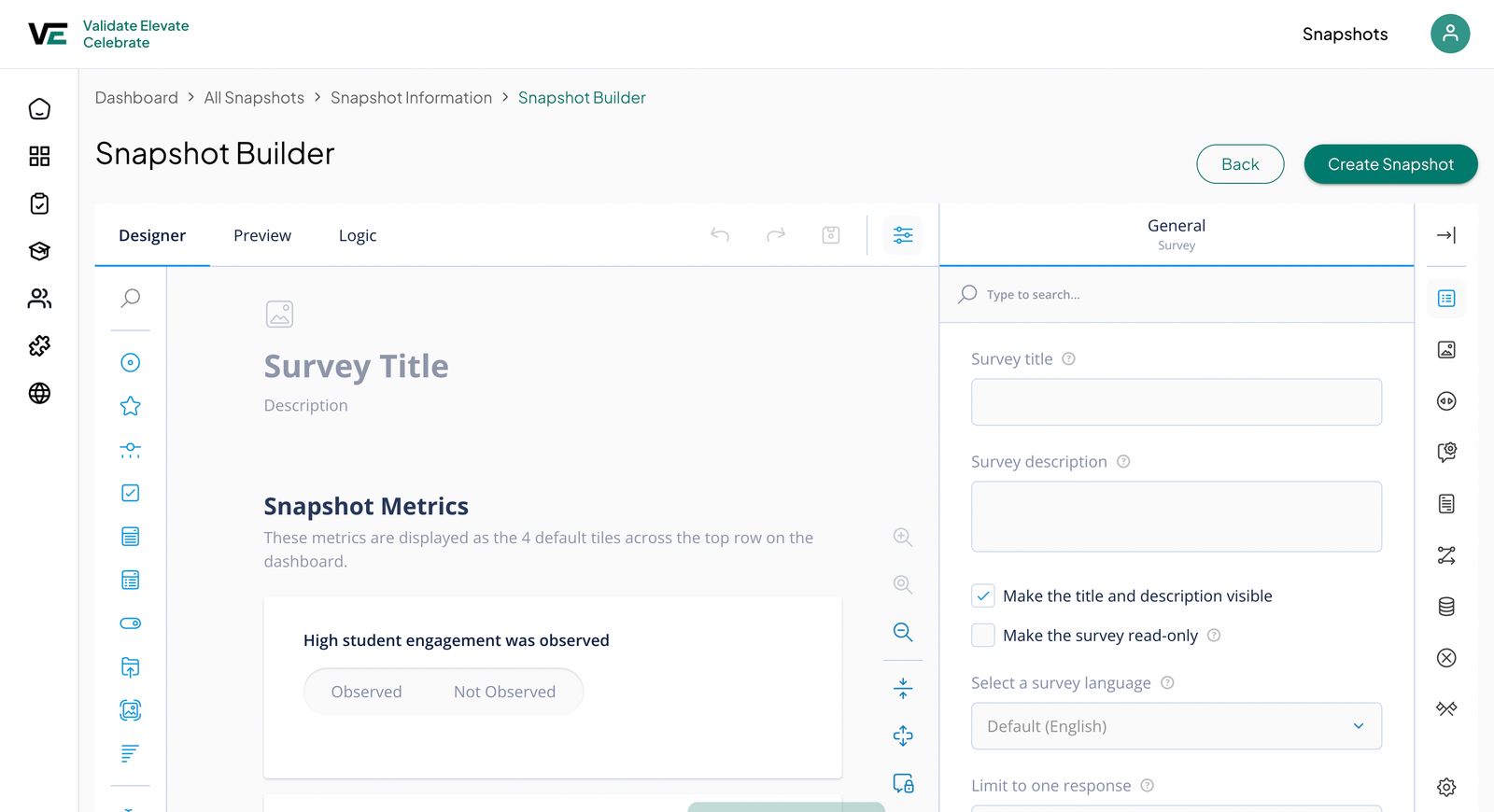
High student engagement was observed

ObservedNot observed
District dashboard 66.94%
01

Reusable snapshot templates

The need

Districts needed consistent observations across every school without rebuilding forms each time.

The decision

Templates are built once at the district level and shared to every school, so data stays comparable.
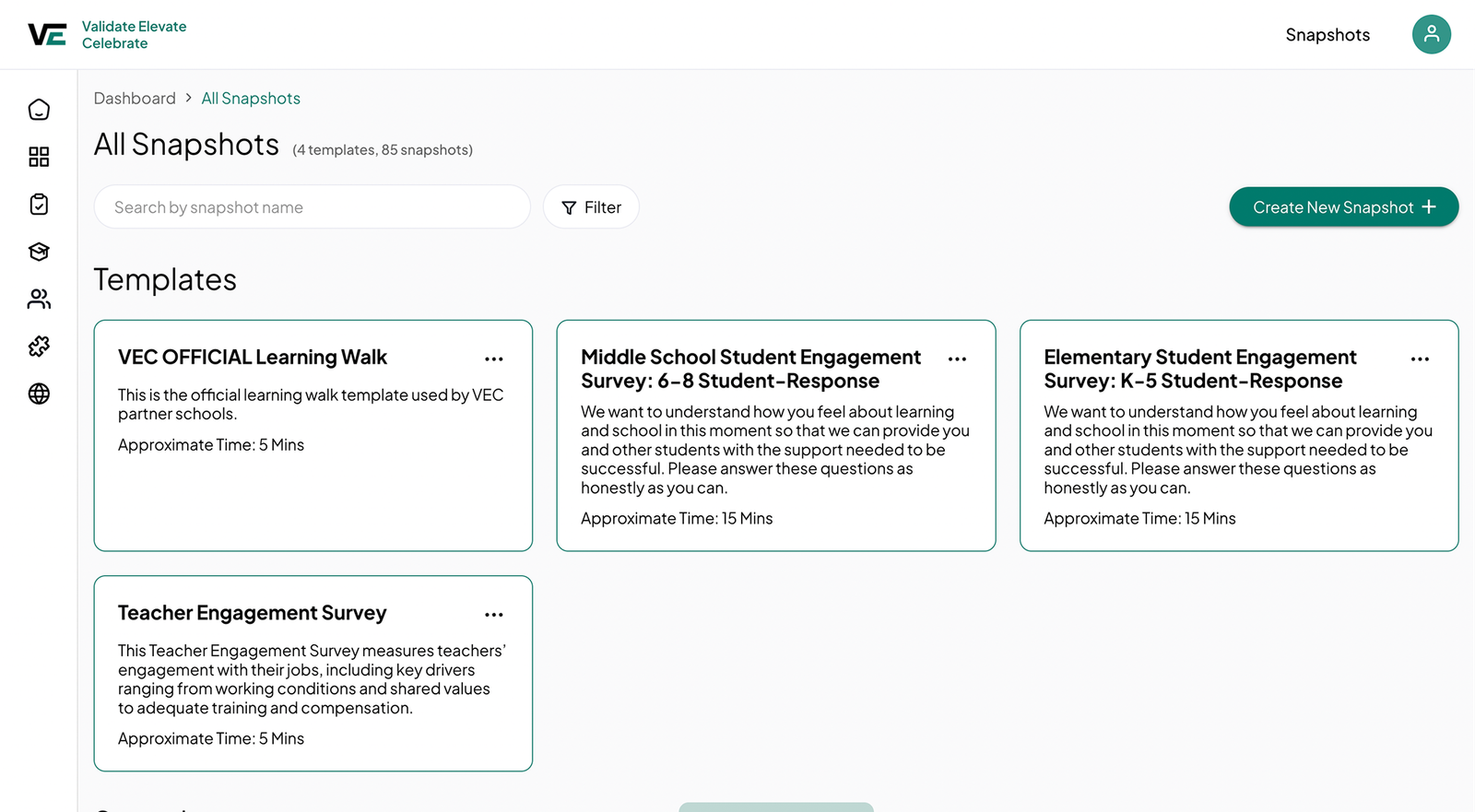
Snapshot template library
02

Role-based permissions

The need

District admins, school leaders, coaches, and teachers each needed very different tools.

The decision

Permissions shape navigation and actions, so each role only sees what it needs.

Build snapshotsManage usersRun walksView dashboards
District admin
School admin
Coach
Teacher
03

Configurable dashboards

The need

Every district tracks different instructional look-fors, so one fixed view would never fit.

The decision

Admins assemble dashboards from reusable widgets, creating a foundation for deeper analytics later.

Configurable district dashboard

Build a dashboard in six steps

{{ section.fvs.counter }}
{{ sl.alt }}

{{ section.fvs.title }}

{{ section.fvs.desc }}

15

Districts

33

Schools

265

Users

The launched Fractal Vision district dashboard 123
1

Observations, measured

Key metrics from every learning walk sit across the top.

2

Trends over time

Charts show how instruction changes across schools and weeks.

3

Room to grow

Districts add custom dashboards as their needs evolve.
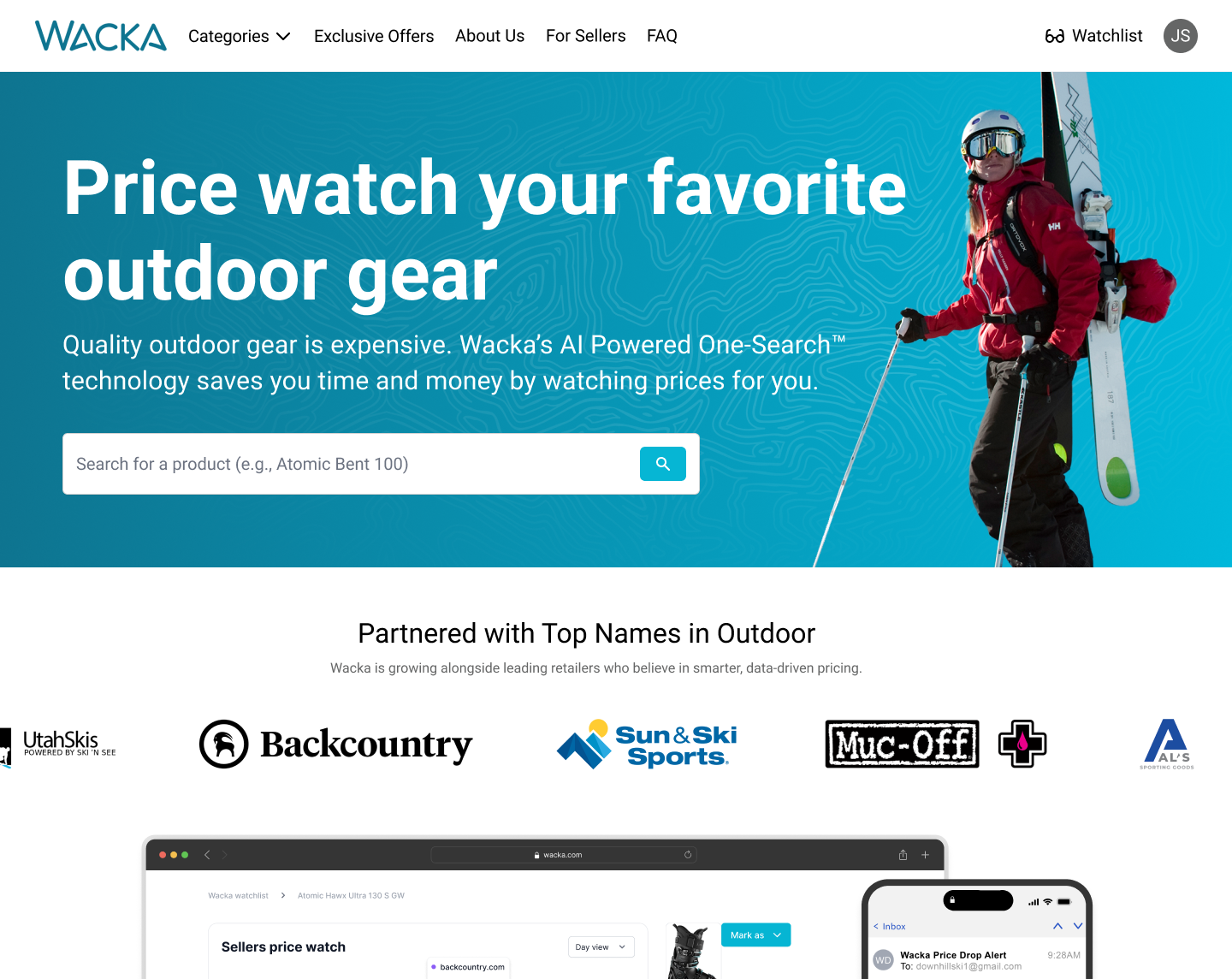
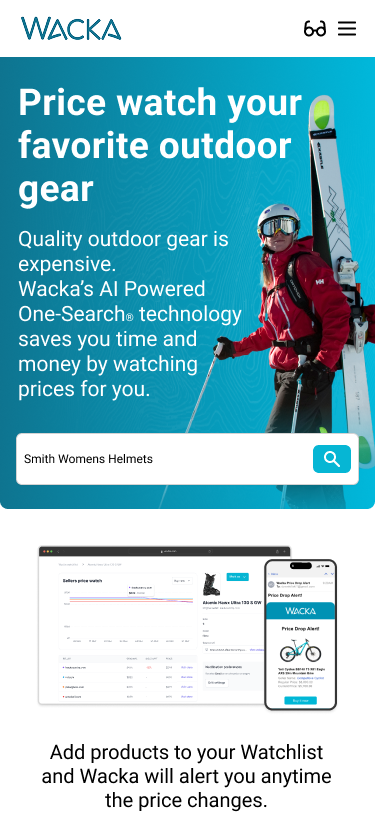
wacka.com
Wacka landing page with AI-powered search
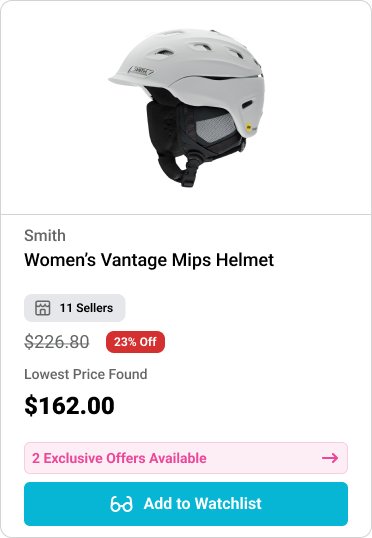
Wacka product card
✦ From search to savings in four steps
Wacka homepage search

01

Search for any piece of gear from the homepage with AI-powered One-Search.
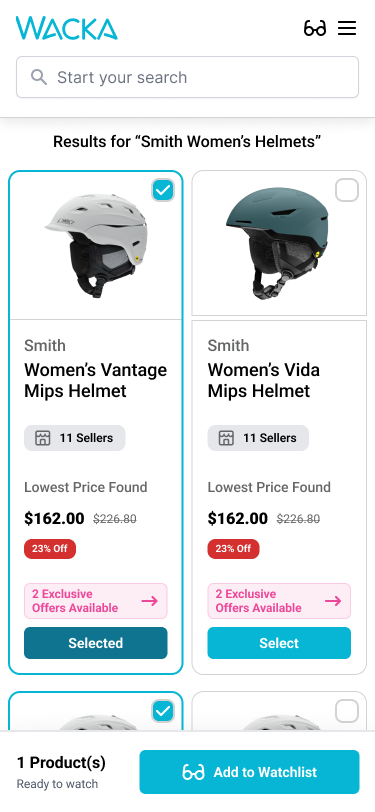
Search results with selectable products

02

Compare results across retailers and select the products you want to watch.
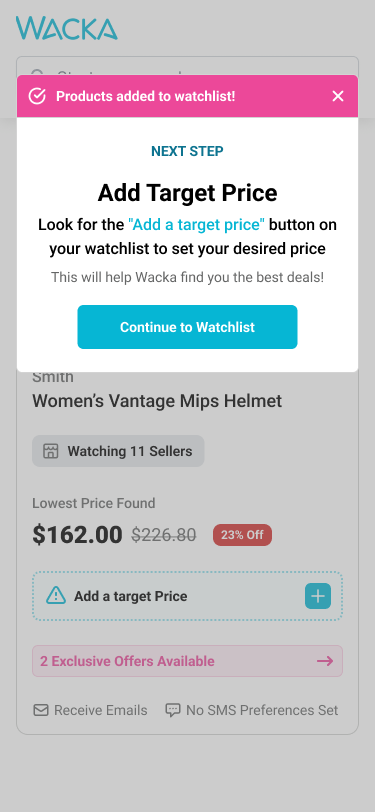
Add a target price prompt

03

Add a target price so Wacka knows which deal you're waiting for.
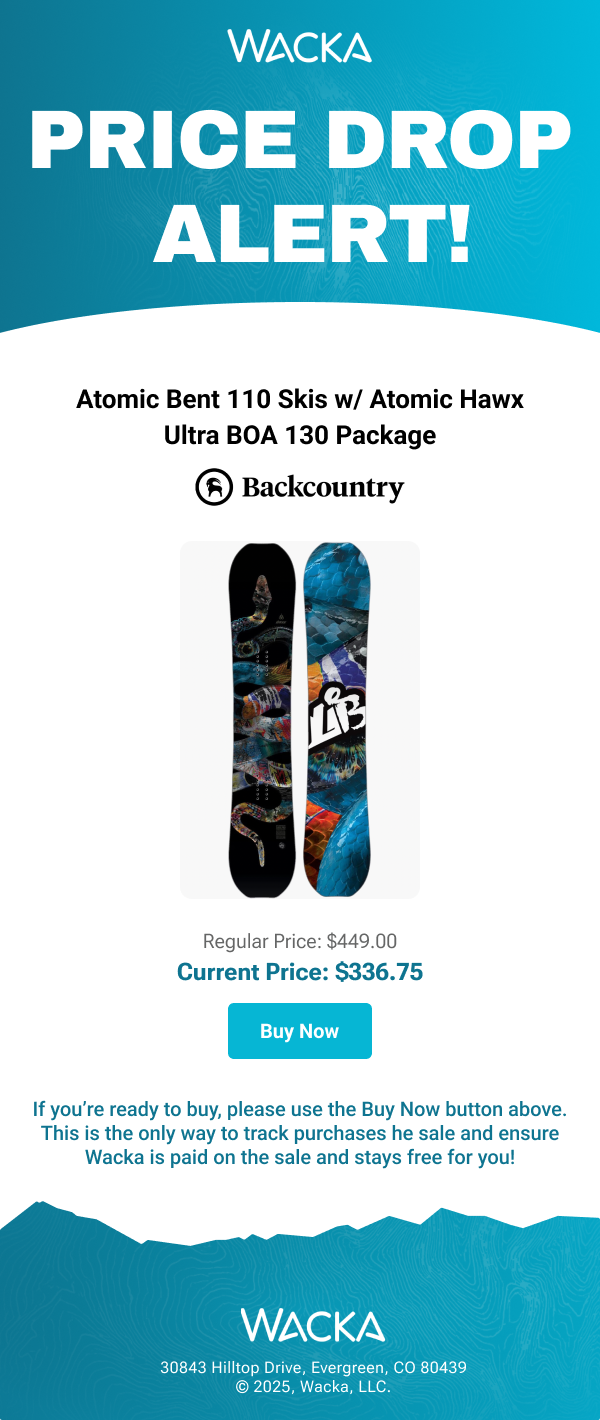
Price drop alert email

04

Get an email alert the moment the price drops, then buy in one tap.

Without WackaA tab for every retailer
Backcountry
Price changed
Sun & Ski Sports
Sale ended
Ski Essentials
Out of stock
Utah Skis
Price changed
Al's Sporting Goods
Refresh again?
Muc-Off
Sale ended
one search
With WackaEvery seller, one card
Wacka product card showing the lowest price across 11 sellers

01

{{ section.showcase.i0.title }}

{{ section.showcase.i0.description }}

AI search results
Smith Helmets

one search,
every retailer

Redesigned product card

02

{{ section.showcase.i1.title }}

{{ section.showcase.i1.description }}

03

{{ section.showcase.i2.title }}

{{ section.showcase.i2.description }}
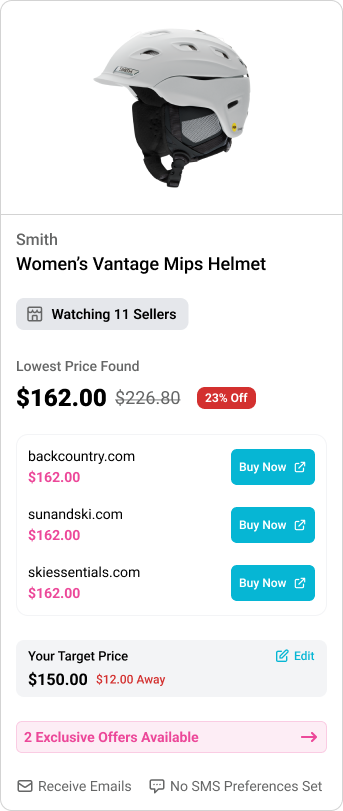
Watchlist card with target price
Price drop alert email
wacka.com
Wacka marketing landing page
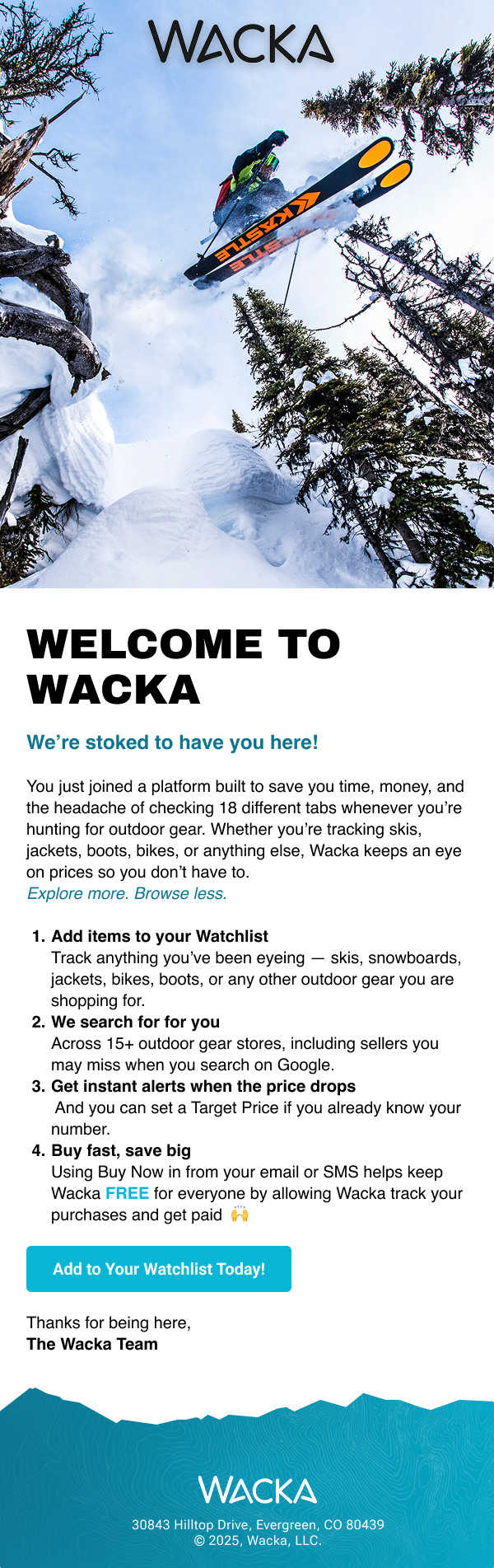
Wacka welcome email

04

{{ section.showcase.i3.title }}

{{ section.showcase.i3.description }}

10–15×

more products watched

Before AI search0.17–0.33
After AI search2.4–2.9
0123

Average products added to a watchlist per new user

Next Case Study

{{ detail.next.title }}

{{ detail.next.tagline }}